
Understanding the Dashboard
The dashboard is your command center for managing your WoWSQL project. Let's explore its features.
4.1 Dashboard Overview
The main dashboard shows:
- Project statistics (tables, users, storage usage)
- Quick access to key features
- Recent activity
- Project health status
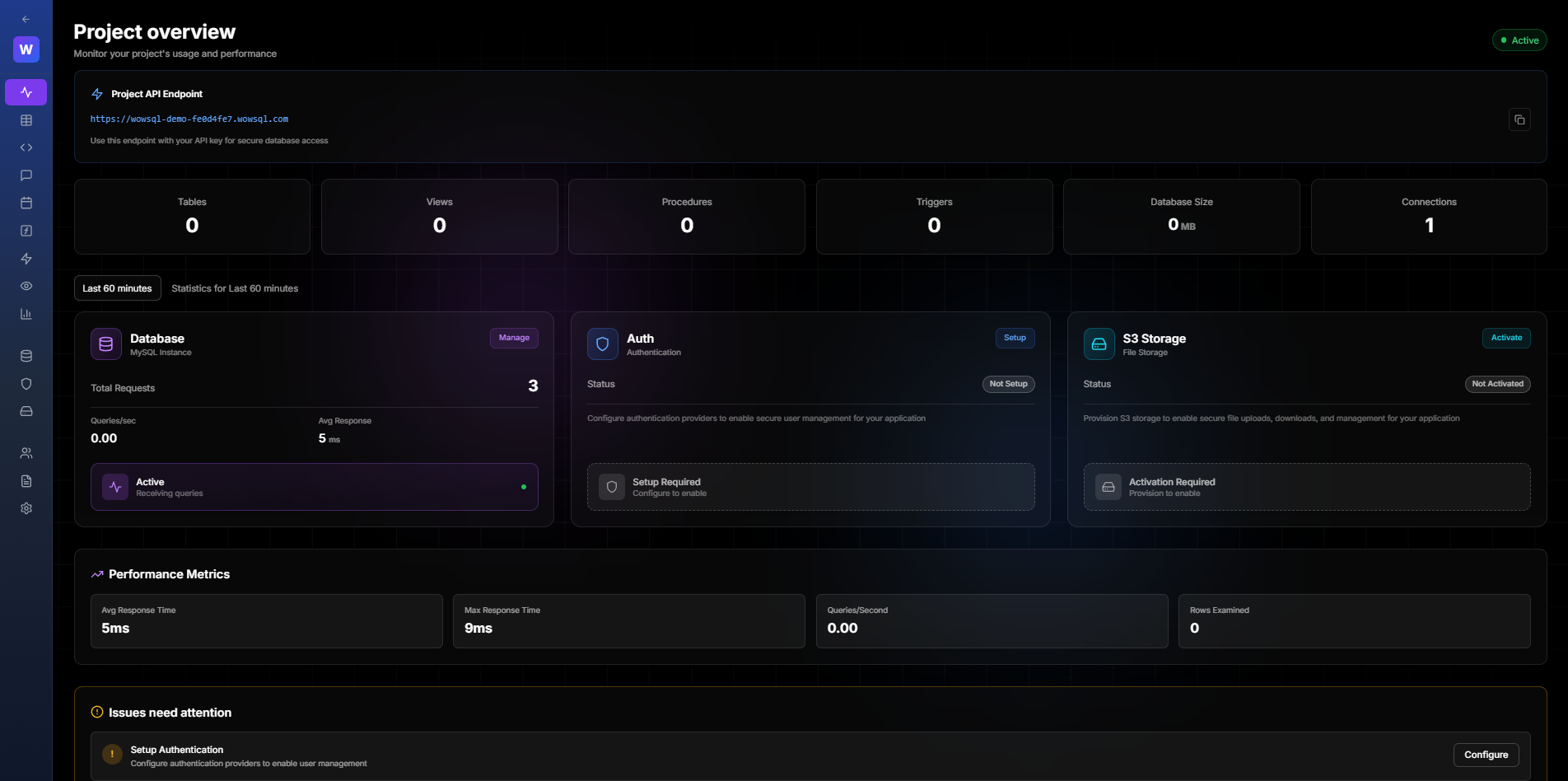
Figure 4.1: Main Dashboard
4.2 Navigation Menu
The left sidebar provides access to:
- Database - Tables, queries, schema
- Authentication - User management
- Storage - File management
- API Keys - Key management
- Team - Collaboration
- Settings - Project configuration
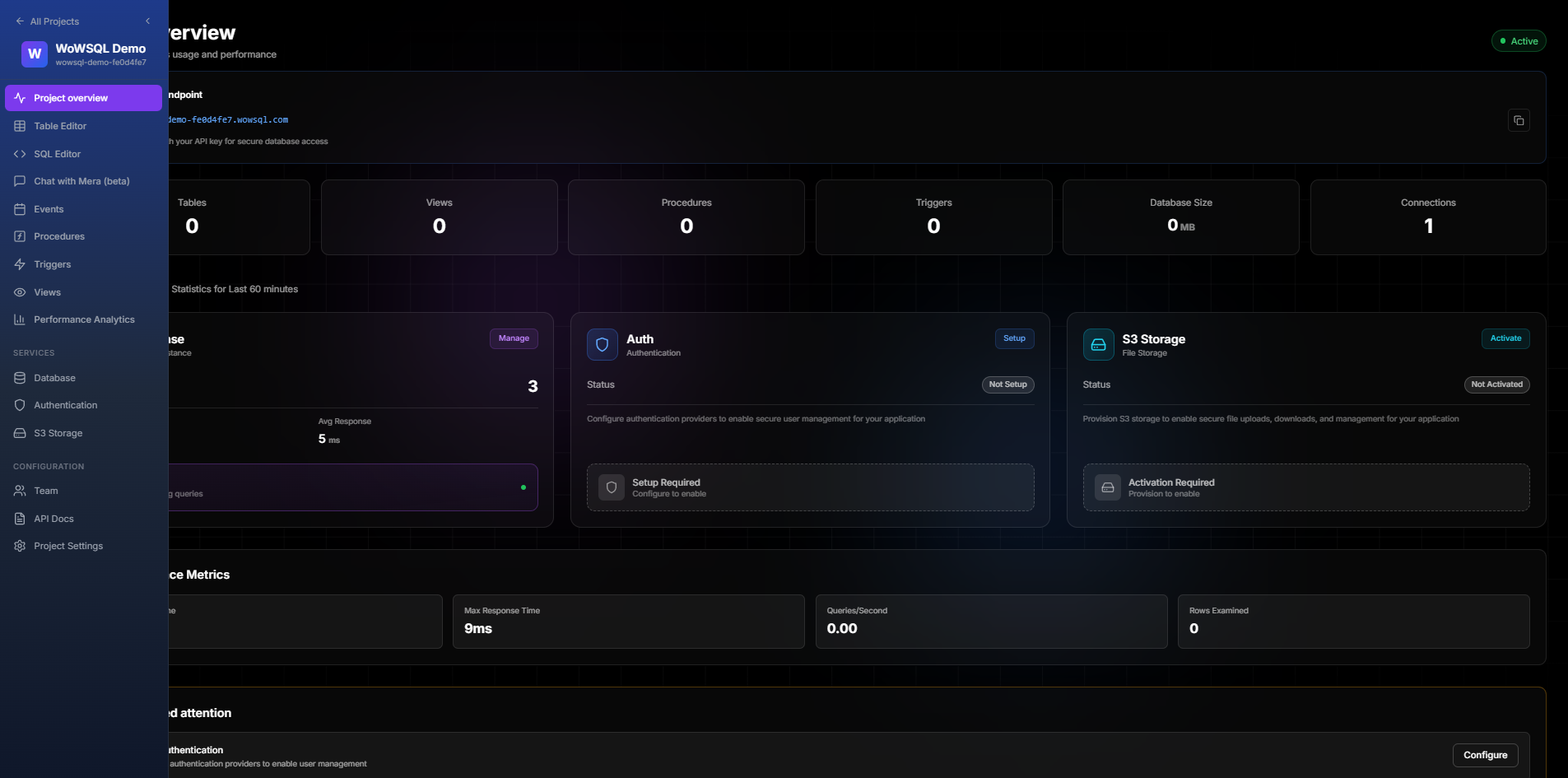
Figure 4.2: Navigation Menu
4.3 Project Statistics
View real-time statistics about your project:
- Total tables
- Total records
- Storage used
- API requests (current period)
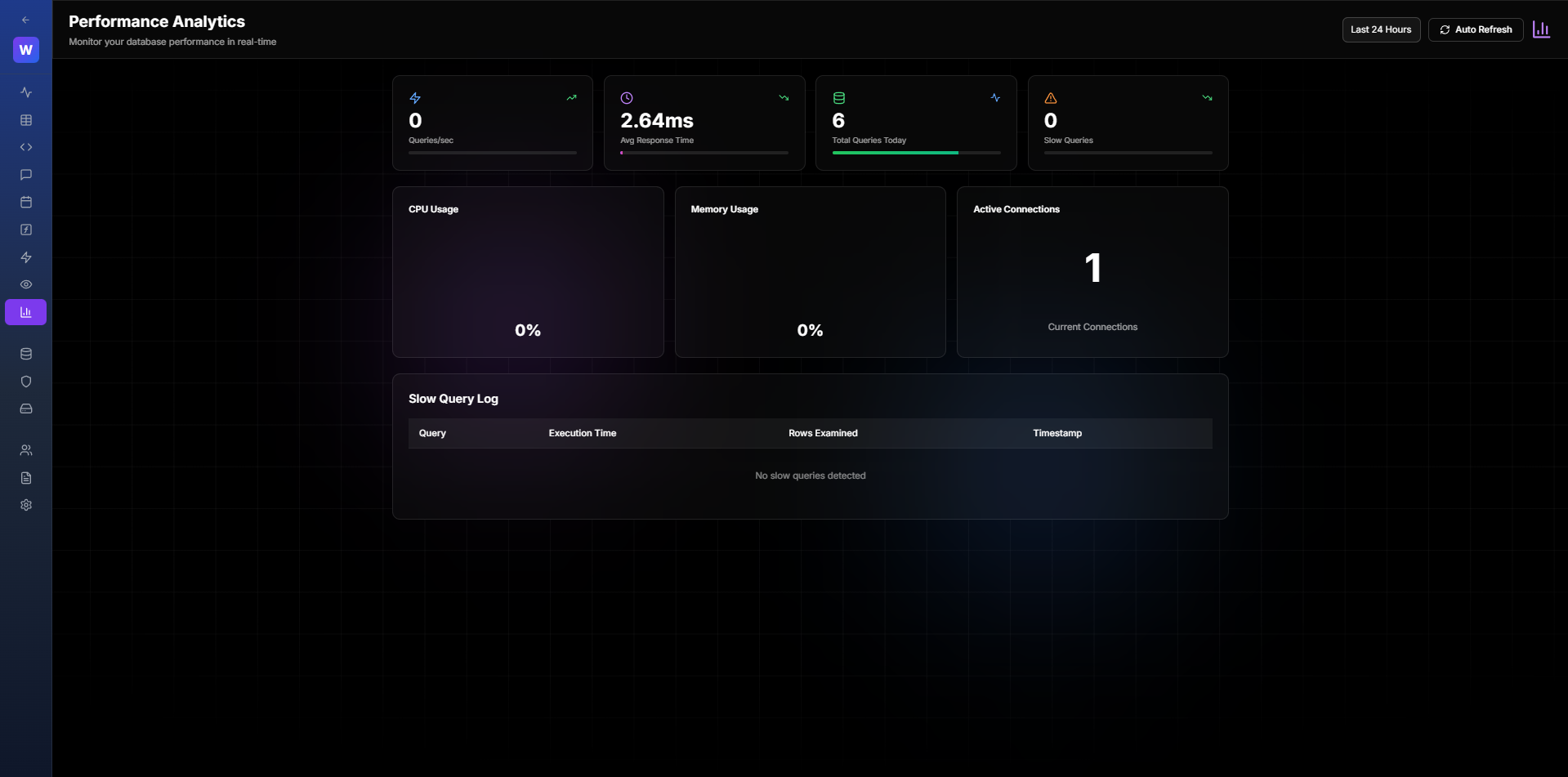
Figure 4.3: Project Statistics
",4,1,0,0,1,"2026-01-29 16:16:27","2026-01-29 16:16:27